
How to Create a School Merch Store Online
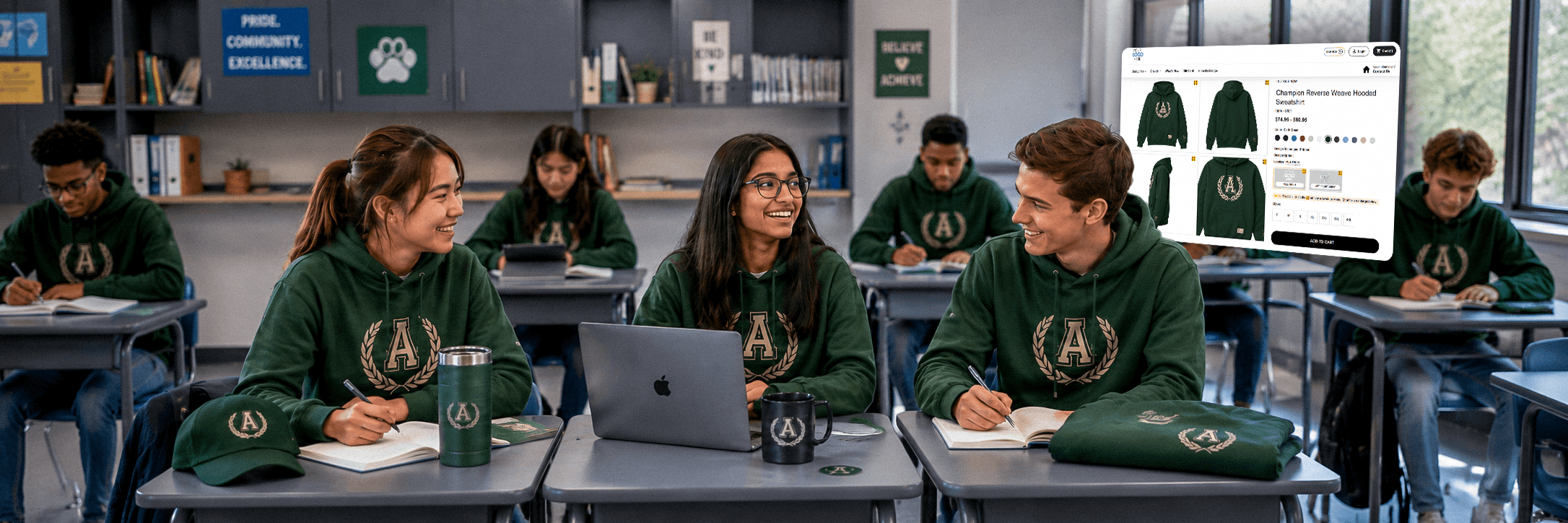
Creating a dedicated school merch store can seem tough at first. But I don’t see this being particularly difficult. As a beginner, you need a store that takes no inventory, is automated, and customizable. But is it actually possible to find them within one platform? Well, it definitely is. With the right platform, you can create the store in just a snap. Simply select your niche, select products and artwork, and launch your product to the store.
Key Takeaways
- School merch stores need to showcase products effectively. So, choose a platform that lets you customize products and present them clearly
- Simply pick a print-on-demand platform like E1OD, create artwork, select a product, upload, and launch your product to the store.
- Can’t you afford to lose money? Then choose a platform that requires no inventory
- An easy-to-use interface will help you start without any technical complexity.
Why Create an Online School Merch Store?
Research shows that almost 94% of students enjoy receiving promotional products. Honestly, it’s something I would love to receive too. And that’s exactly what school administrators target.
If you want to strengthen your brand or build community spirit, creating an online school merch store is definitely worth it. Here’s why you should create an online school merch store:
Effortless Fundraising & Sales
Have you ever thought you could raise funds for sports equipment, field trips, or club activities through a school merch store? Sounds cool, right? This also means that you won’t have to rely on students’ contributions. You can easily use the revenue from the school store to fund the extracurriculars.
Good Community Engagement
From everyday utility items to event-based merch, a school merch store can include all the items that students actually use, wear, or feel proud of. Let me give you an example instead. Your students are participating in a sports event. Now providing the school’s sports day jerseys will create excitement in students. They are more likely to buy because it makes them feel official or a part of something meaningful.
Stronger School Branding
A school can provide the best service out of many. But it still won’t matter if you don’t do proper branding or marketing. But here’s the good news – a merch store can help your school gain visibility.
“Your brand is what other people say about you when you’re not in the room.”
— Jeff BezosIt means a school merch store can help your institution’s name expand beyond campus.
Zero Inventory Hassles
If you ask me, the best part of an online school merch store is that it takes you zero inventory hassles. You do not need to buy products in advance and stock them. And you also do not need to handle the logistics part. The whole process is automated. So, you can easily earn good revenue by doing proper marketing.
What Features Should a School Merch Store Have?
All merch stores must have the standard features. But have you ever thought about offering features based on actual customer use cases? If no, relax. I’ve got this. I’ll walk you through the features that a school merch store has to provide a better customer experience:
Variety Of Stores
Imagine: You want to engage students or boost morale. In this case, you can enable a rewards store. Students can buy merch with the reward code. Again, you want to run a campaign based on special occasions, such as sports day, farewell, or science fairs.
You can simply turn on the pop-up store and start selling occasion-based merchandise items. Lastly, if you plan to earn a profit from extracurriculars, you can turn on the cash store. Students will buy with cash here.
Without this flexibility, you cannot create an emotional connection or excitement in students. So what do you think? Wouldn’t this make your store way more exciting?
Decorator Flexibility
Most stores will keep customers on hold in case a decorator or supplier is overloaded. But guess what? Some platforms, like E1OD, automatically switch your order to another decorator when the assigned one has a backlog. Through this feature, the customer won’t have to wait long to receive their order. And it will increase the brand reputation.
Smart Login
Sometimes, you forget your Google account password. But you need to log in instantly. Problematic, right? Now, think if you could log in with any of your social media accounts with just a click? With the smart login feature, it is possible. This makes the process faster without any technical hassle.
Customization Options
A platform that provides your customers pre-made artwork designs saves time and gives them a smoother experience. But not only do the store’s customers need to benefit, but the store owner too. I mean, it’s a win-win, right?
As a store owner, you must have easy access to the store’s backend. And here’s what a functional store would let you do:
- Custom Logo Placement Designs
- Color-Themed Merch
- Motto-Based Designs (School identity products, Matching items for teams/clubs, Winner hoodies)
The school administrator can design custom artwork based on what they want to offer students.
Secure Payment Integration
As a store owner, you definitely want to offer customers a reliable payment method. And honestly, that’s pretty easy to say. Make sure that the platform you are using provides a secure payment integration, such as Stripe or AuthorizeNet.
How to Create a School Merch Store Online?
With E1OD, I can switch store type based on my needs. The store requires no technical knowledge to use. Here’s how you can create a school merch store online in a step-by-step guide:
Define Your Goal
At first, know what you want to achieve as the owner of that school merch store. Do you want to focus on earning money or boost student engagement? Based on your needs, you can enable the store type in the settings :
- Student engagement: Reward Store
- Revenue for extracurriculars: Cash Store
- Run Campaigns: Pop-Up Store
- Earn cash and provide reward codes: Hybrid Store
Create Artwork
You can create artworks based on the products you want to keep in your school merch store. For example, I am creating an artwork that shows a simplified version of a school’s logo.
So, students can wear hoodies with the logo that represents their school. First, go to Artwork > Add Artwork. You can choose from PNG, Vector, Embroidery, and Sublimation.
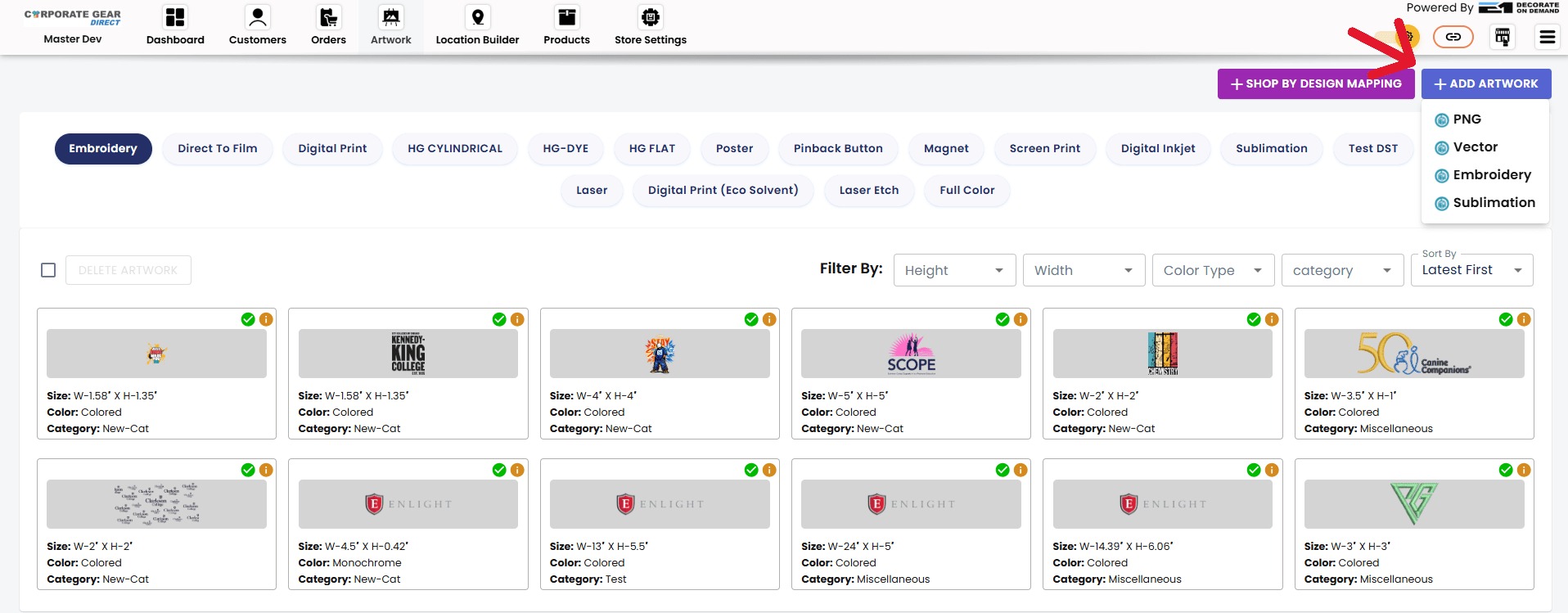
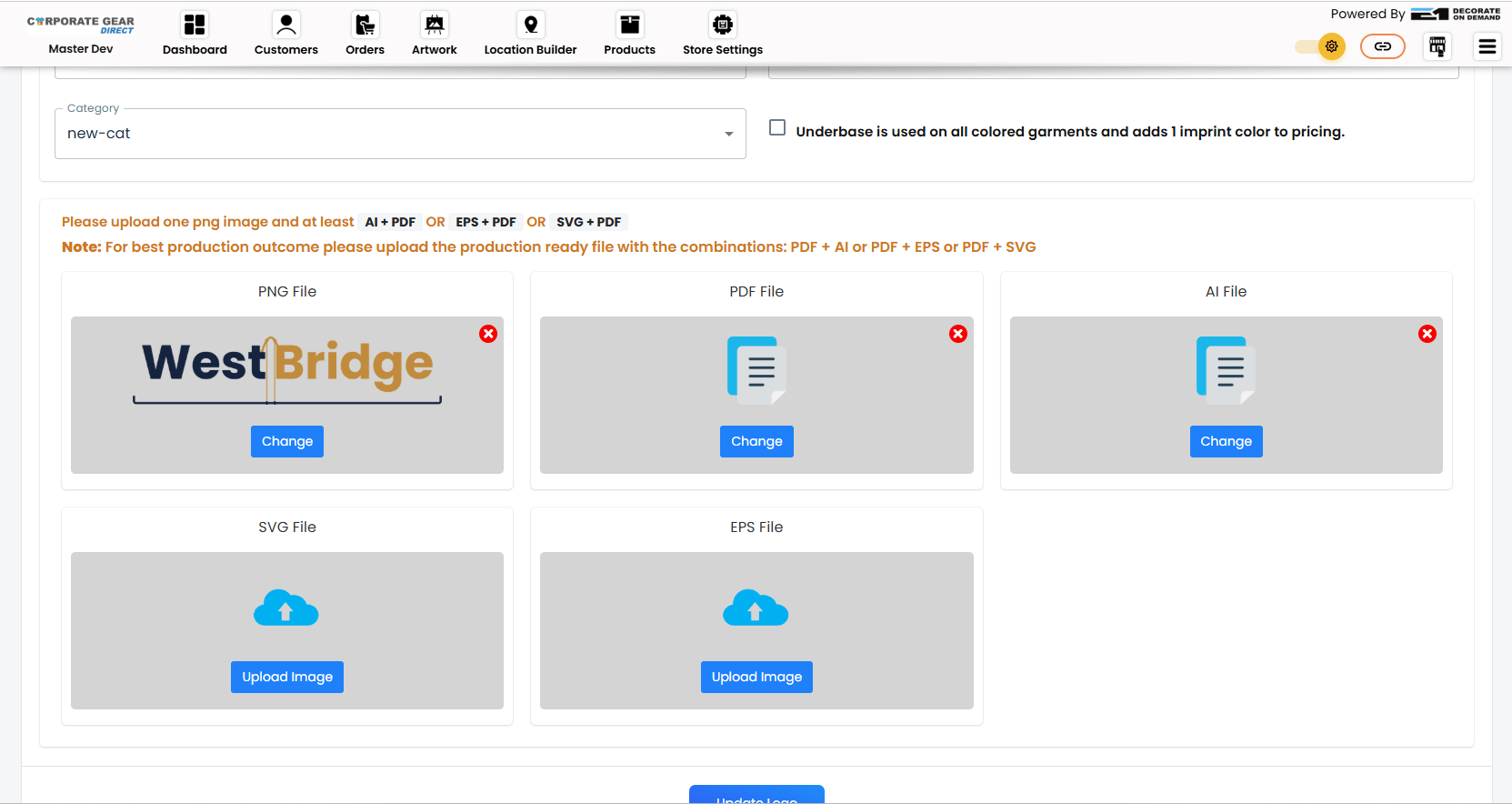
Here, I have chosen Vector. Then I have uploaded the required files (PNG, PDF, and AI) in the given field. You can design the logo in any software you prefer.
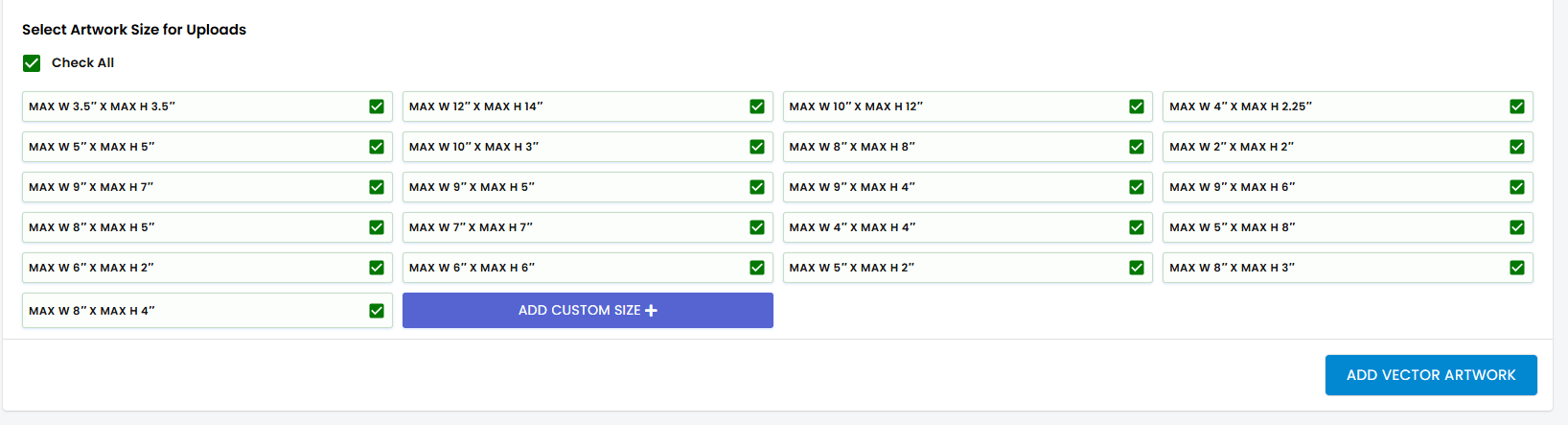
I have set the artwork size based on different customizer size preferences. You can do the same based on your needs and wants. Then simply click on “Add Vector Artwork”.
Launch Products
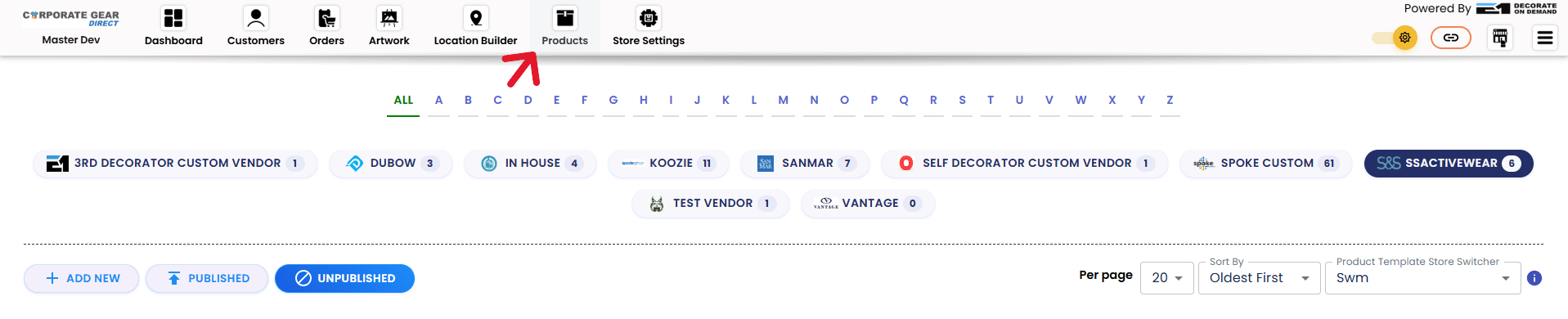
Now, go to Products. You can select any supplier and upload any product that is in stock.
Click on “Add New”.
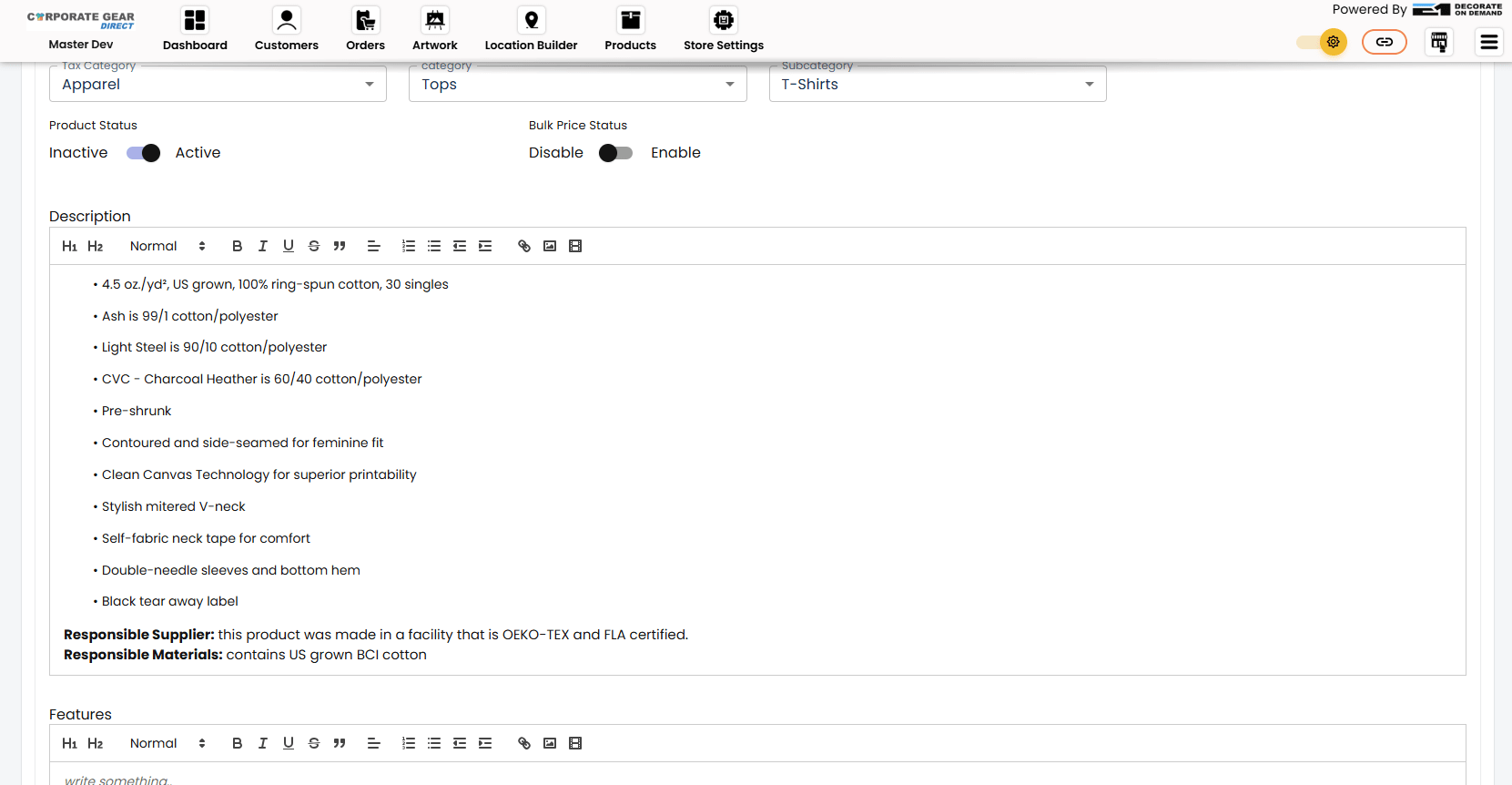
I have selected a “T-Shirt”. And I have added the product details and features in the given field.
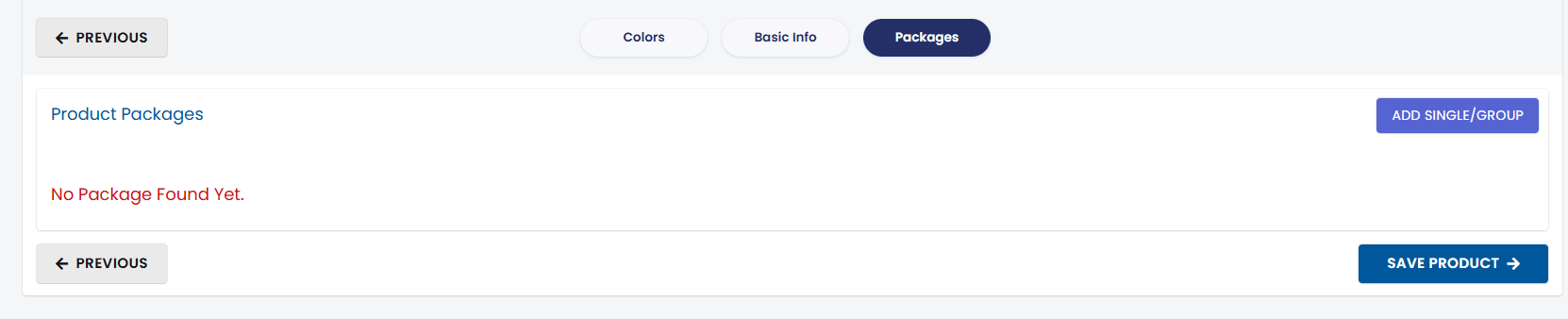
Now, it’s time to select the artwork. Go to Add single/Group.
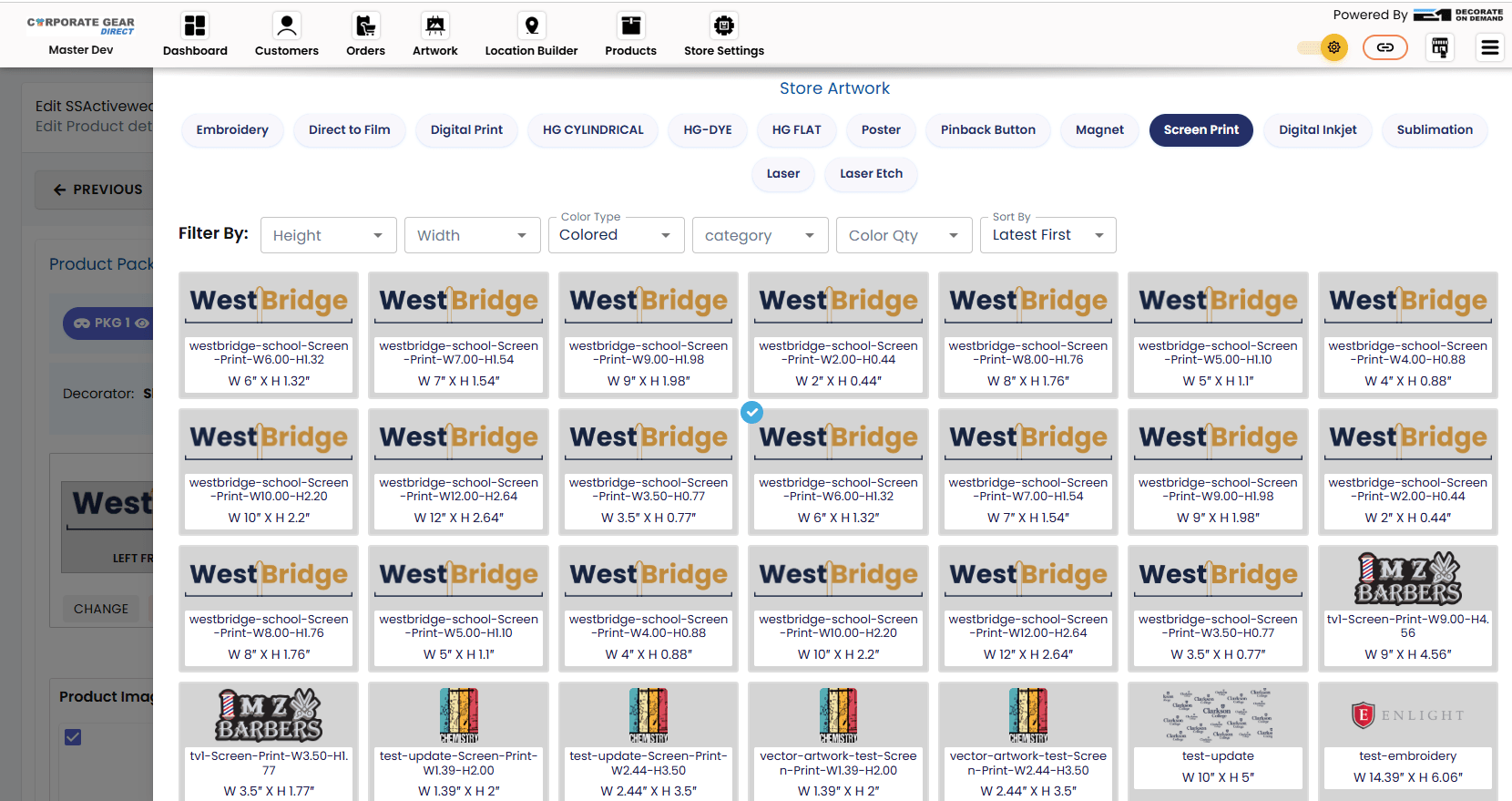
Choose the Artwork you designed and upload it.
You can choose a maximum of 25 artworks that customers can select based on their preference.
Set Pricing
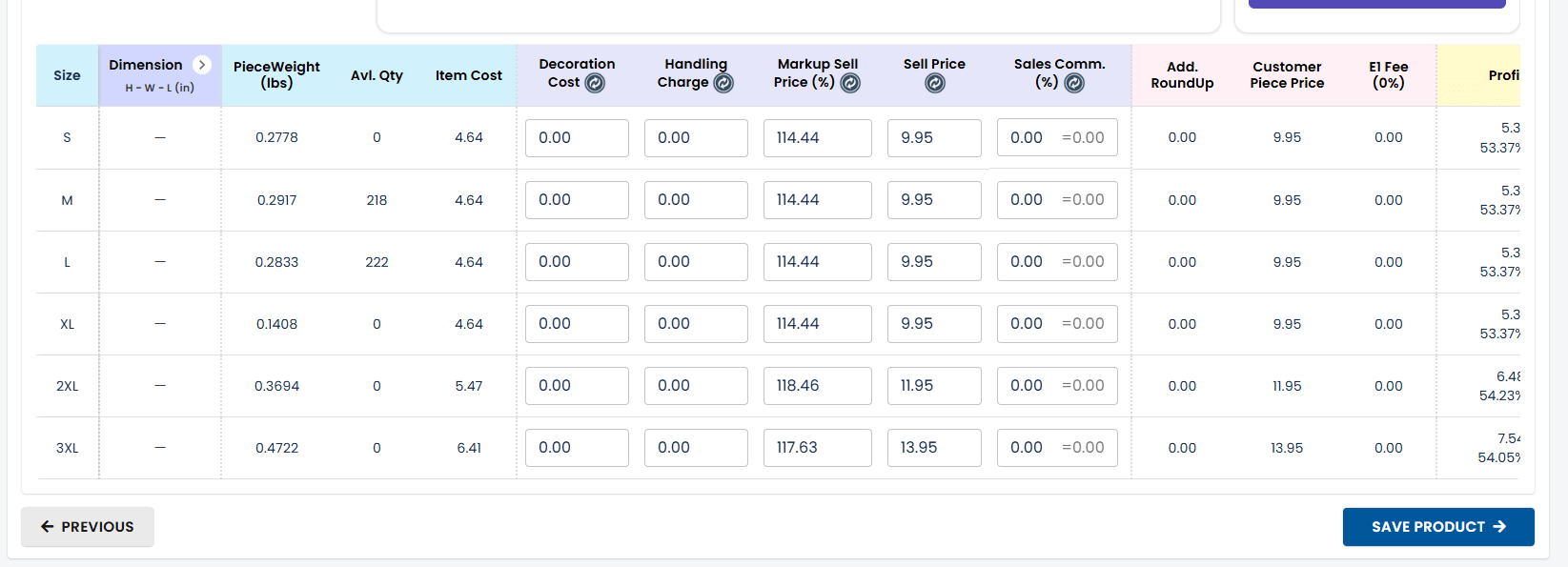
Now, set the product price. You can adjust the pricing in the Sell Price section. It depends on how much profit you want to gain from your product.
Set Location
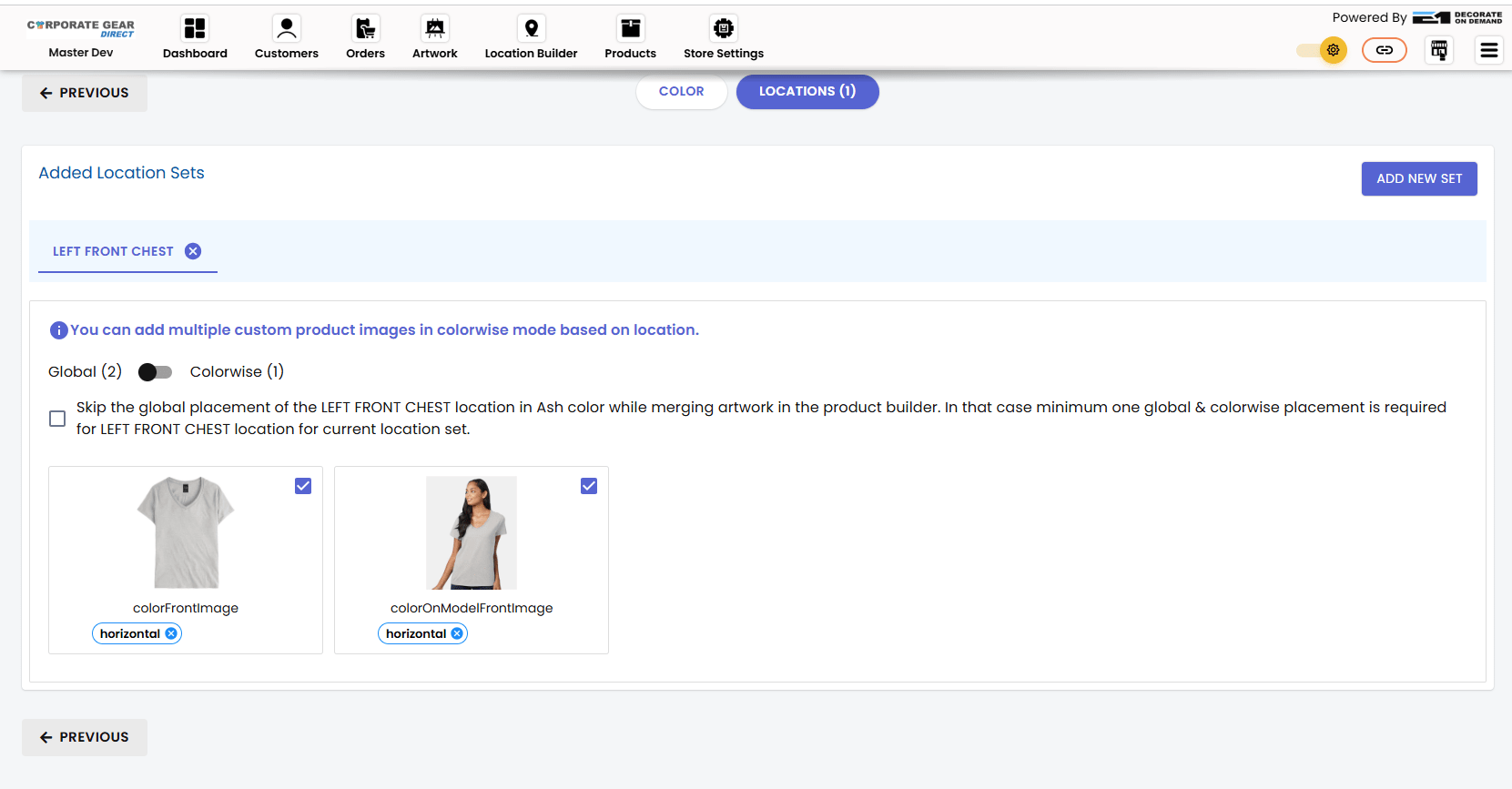
You can also set the location where the logo will be placed. Simply go to the Location Builder. Choose the Product > Locations > Add New Set. Then you can select where customers can place their logo out of many choices.
Customize Your Store
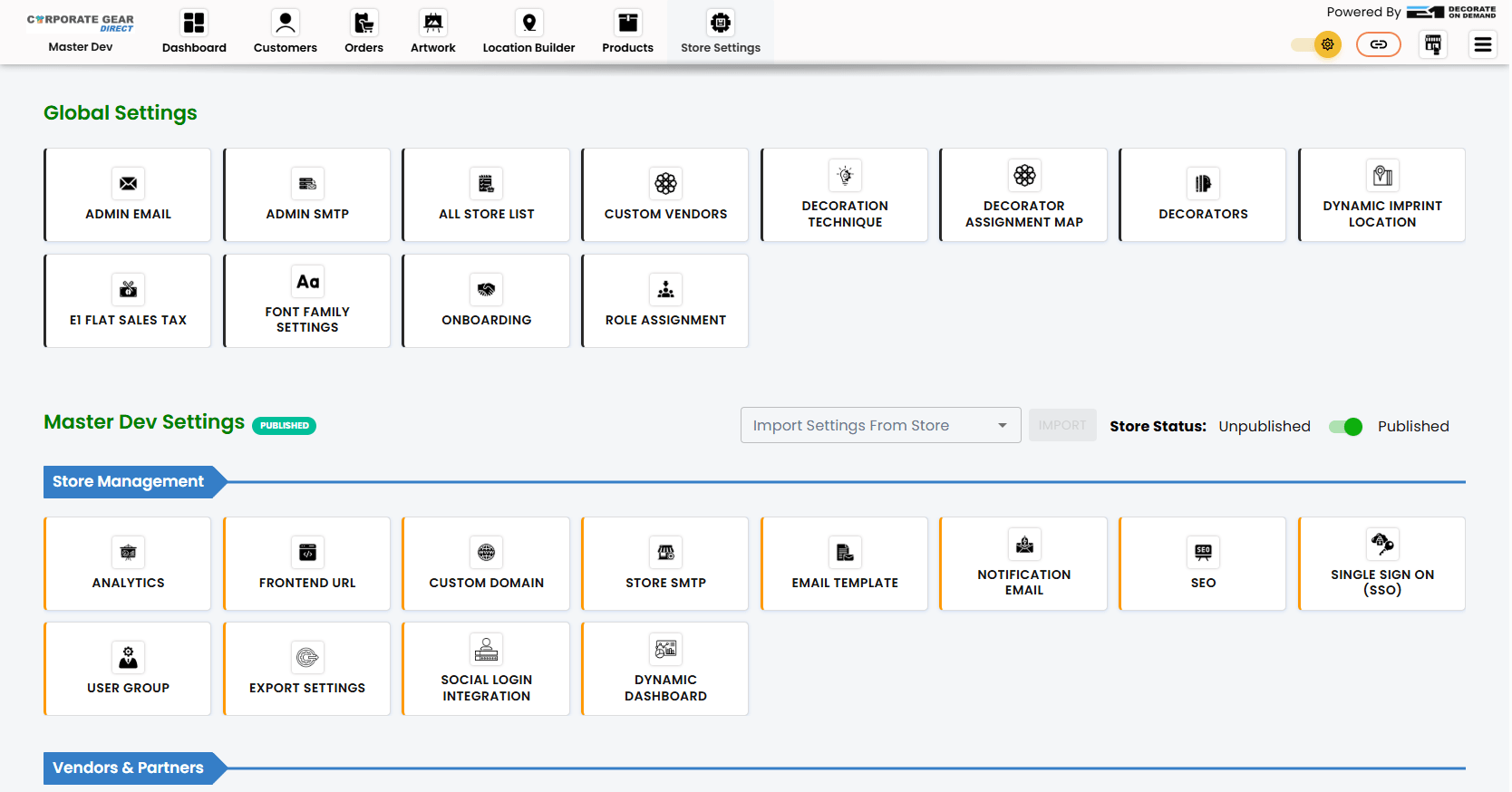
Go to Store Settings. Here, you have full in-house control of the store. Some of the essential parts you can do through these settings are –
- Add custom domain
- Set up store SMTP
- Assign user groups
- Add promo/coupon code
- Add gift card
- Add artwork category
Test The Store
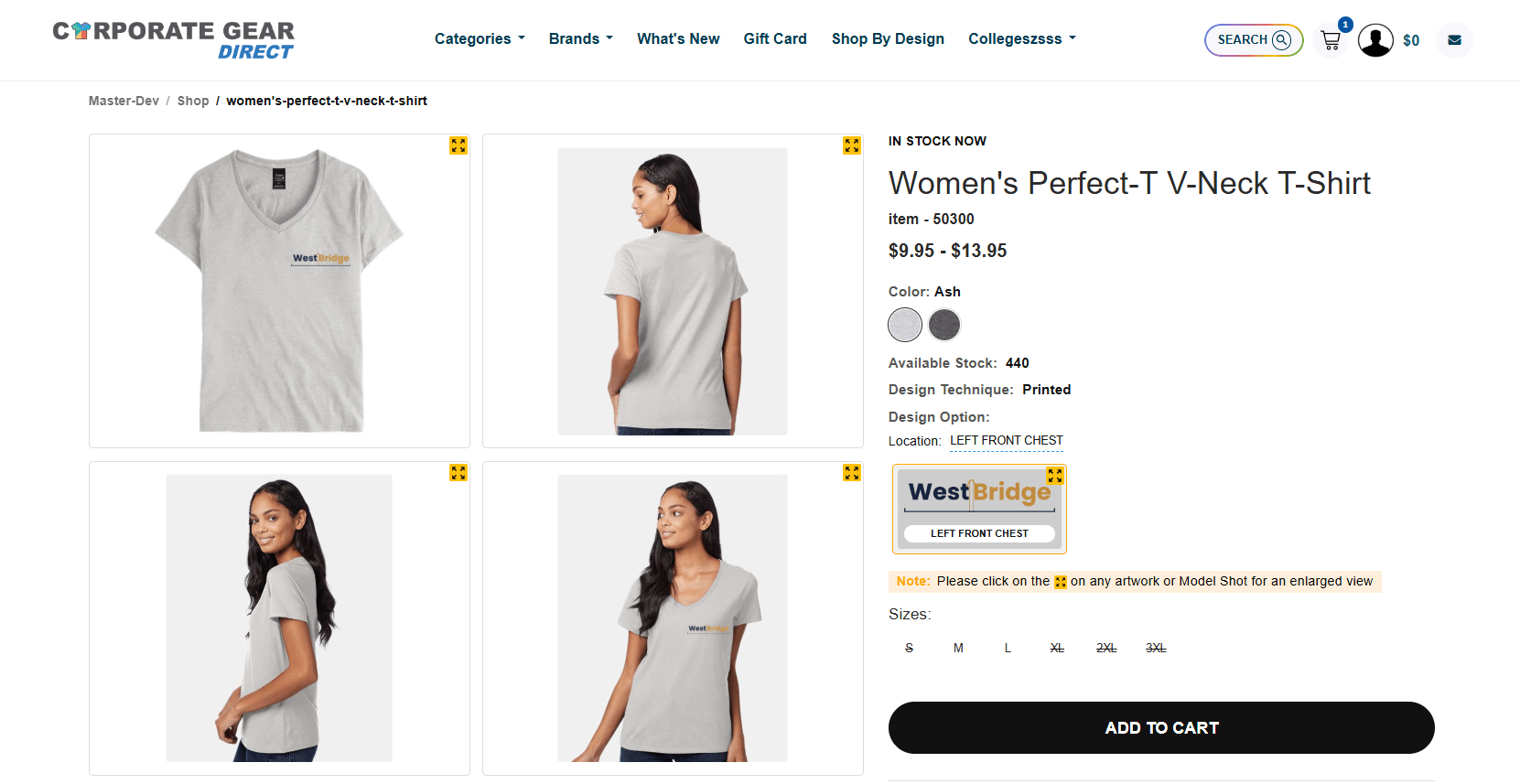
Finally, the product is launched. Now, you can see from a customer’s perspective how they will view the store.
Tips to Promote Your Online School Merch Store
Hey, so you’ve learned how to launch a product in the store. But if you don’t promote your online school merch store properly, your sales can get stuck. And that’s why I have shared with you a few valuable tips to promote your online school merch store:
Outreach Influencers
So, if you’re trying to grow, one thing you should not avoid is influencer marketing. U.S Insights Circa 2025, reports that there is an ROI of $6.50 in revenue for every $1 invested in influencer marketing. That says it all, doesn’t it?
Email Marketing
You cannot always wait for customers to come to you. What you need to do is send an email to them and tell them about your products. But hold on! You cannot just send it to random people. Make sure that they are your potential customers whom you are reaching out to and that they are interested in your product. And as it’s a school merch store, you can reach out to students’ guardians. They are a good lead for your business.
Use Social Media
Also, social media is one of the most effective ways to engage customers. You can promote your store to the school’s group or pages. The group or page owners can actively post about your store or products, which will engage the students.
Why Use the E1OD Platform to Create a School Merch Store Online?
E1OD is one of the most effective decorate-on-demand services that lets you create a school merch store in just minutes. You don’t even need inventory to get started. With this platform, you can design specialized artwork based on school events. Also, do you want to create separate categories for a better customer experience? With full in-house control, you can design the categories and sub-categories based on your needs. And this is not just it. You can also add a custom domain to the store for a long-term brand presence. Want to give it a trial? Book a free demo now and see it yourself.
Conclusion
You don’t have to think hard to create a school merch store. With the right platform, you can create an engaging store within minutes. And E1OD makes the task absolutely simple. Just create your artwork, select a product, upload the artwork, and launch your product to the store. No complicated setup required. And you need zero investment to get started. You pay for the product only when the customer places an order. Want to find out more? Feel free to reach out to us for any queries.
Frequently Asked Questions
Can Schools Customize the Products Offered in Their Store?
Yes. The school merch store owner can add product color, artwork location, and select artwork packages based on their preferences.
How Long Does It Take to Set Up an Online School Merch Store?
The right school merch store will take only 3 to 4 minutes to set up. But you need to make sure you are not choosing a platform that’s complicated to understand.
Can I Track Customers’ Orders?
Yes. Some merch stores let you view the customer’s orders in one dashboard. You can see the total number of orders made in a particular year or month. Also, you can track who placed the order, the total price, and when the order was placed.
What Type Of Products Should I Include In The Store?
It depends on what kind of store you are creating. If you are creating a school merch store, you can include products related to school events. You can keep Hoodies, T-Shirts, Notebooks, Pens, etc.
How to Design a Merch Store Effectively?
To design a merch store effectively, you need a store with good in-house control. It lets you customize the store completely. As a result, customers can have a much better experience while scrolling through your store.